Install
Libera Suite runs on Windows 10 and 11 (x64), Linux (x86_64 and arm64) and macOS (Apple Silicon). Installing it needs no administrator password: it installs for your account only.
Windows
Download the installer and double-click it:
https://cdn.abilian.com/libera/bundles/Libera-Suite-Setup.exe
It puts Libera Suite in the Start menu and on the desktop, and adds it to Explorer's Open with. Everything is included, so there is nothing to download afterwards.
If you prefer a command, this line in PowerShell does the same, and also checks the download against its published fingerprint:
Windows will ask two things the first time:
- "Windows protected your PC", when you open the downloaded installer. The installer is not yet signed with a certificate, which is what this warning looks for. Choose More info, then Run anyway. The PowerShell line does not trigger it.
- "How do you want to open this file?", the first time you double-click a document that another program, such as Word, can also open. Pick Libera Suite and tick Always. You can change it later in Settings › Apps › Default apps.
Linux
Open a terminal and run:
If your machine has Flatpak, this installs Libera Suite as a Flatpak, with everything it needs inside, and adds it to your applications menu. Otherwise it installs the libera command; the first time you run it, it names any system packages your distribution is missing and the exact command to install them.
It works on Ubuntu 22.04, Debian 12, Fedora 35, RHEL 9 and anything newer. Without Flatpak it also needs Python 3.12 or newer, and says so before changing anything if it is missing.
If you use Homebrew on Linux, the Homebrew line in the macOS section below works there too.
macOS
With Homebrew, open Terminal and run:
Homebrew builds Libera Suite on your Mac. The first time you run libera, it offers to download the editors, about 110 MB.
Without Homebrew, you need Python 3.12 or newer, which macOS does not include: install it from python.org. Then run:
Either way, you get the libera command. On macOS, Libera Suite is started from a terminal for now: a double-clickable application is on the roadmap.
Start it
- Windows: from the Start menu or the desktop, or by double-clicking a document.
- Linux: from your applications menu, or with
liberain a terminal. - macOS: with
liberain Terminal. Give it a document to open that one:
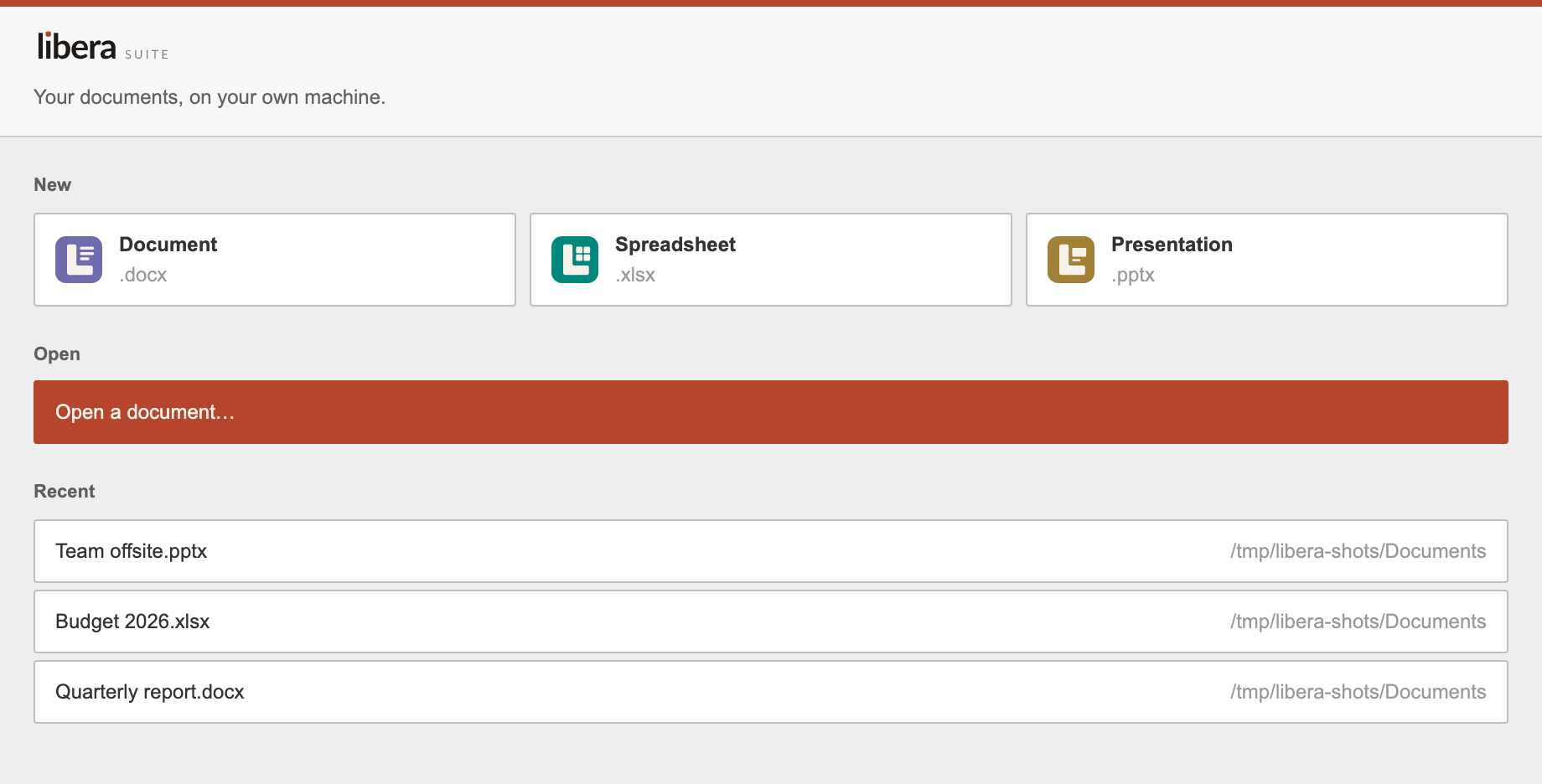
On its own, libera opens the start window, where you can create a document, open one, or pick a recent one:
Work with documents is the next page: opening, saving, exporting and printing.
Update
Run the same installer or command again. It replaces the installed version with the latest one.
With Homebrew, run brew upgrade libera. If a new version needs new editors, Libera Suite offers to download them the next time it starts.
Uninstall
- Windows: Settings › Apps › Installed apps › Libera Suite › Uninstall.
-
Linux, installed as a Flatpak (
flatpak listshowseu.liberasuite.Libera): -
Linux, otherwise:
-
macOS:
-
Homebrew, on either system:
Your documents are never touched. What Libera Suite keeps between runs, such as the Recent list and unsaved sessions, stays behind: in ~/Library/Application Support/Libera Suite on macOS, and in ~/.var/app/eu.liberasuite.Libera for the Flatpak. Delete that directory to remove every trace.
If something goes wrong
Run this in a terminal (on Windows, in PowerShell: & "$env:LOCALAPPDATA\Programs\Libera Suite\libera-cli.exe" --diagnose):
It prints one screen. Two lines matter most:
windowshould sayok. On Linux,NOT AVAILABLEmeans system packages are missing, and runningliberaprints the command to install them.payloadnames the editors and where they came from.MISSINGmeans they were not downloaded: runlibera --payload-install.
What works today lists the problems we already know about. For anything else, tell us, with the output of libera --diagnose pasted in.
To install with pipx or uv, to install the Flatpak by hand, or to pass options to the install script, read Other ways to install.